The choices are either to use a 1) "webcam", or use a 2) CCTV system. The better choice is the CCTV system, if you own a drill and/or can run a wire between rooms. If your DIY skills consist of piling up books and taping things together, then likely you'll be using with the webcam solution.
1) The "webcam" NEST thing.
Pros -
"Wireless" "view on your phone"
It sounds easy to install
No need to run a video cable
Cons-
Very high cost per camera ($100 and up) and you'll end up buying at least 2-3 and still not be able to see much.
It's not really easy to install, because you still need to run a wire (for power). So you are either tied to installing the webcam only near outlets, or streching extenstion cords in awkward and dangerous ways.
Recording is tricky, either you need to record in low res or your SD card fills up in a few hours. Otherwise you can record the stream on computer, for which you will need to buy at least another 1TB drive to have enough space to record on to, and you need keep the computer running always.
Wireless video quality is terrible, it's choppy, slow and or too low res to see anything, because your wifi router is either too far from the webcam or can't handle the streaming video bandwidth, because you also are using your wifi router to do other things, like stream Netflix and buy webcams on Amazon. So you need to buy another wifi router and place it closer to the webcam, and run a network/power cables to support your "wireless" webcam. And don't forget to buy another extenstion cord!
2) CCTV/DVR system

Great video quality, like looking out a window, since you are on a Closed Circuit Televison system
View on your phone, or computer, or TV.
No need for a computer, or SD cards, storage is built into the DVR.
Low cost per camera ($20 for 1000TVL)
Can have 8-16 cameras attached.
Cons
Need to buy a headend/DVR ($99) and drive ($60 1TB)
Need to run video cables (which power the cameras too)
Types of CCTV systems
CCTV/DVRs today can be split simply into two catagories without getting into too much detail, one is "960H" which are the 1000 lines of resolution models, and two the "1080p" 2000 lines of resolution models. Sure the 1080p models looks fantastic, but we're not watching hours of great enterainment on these DVRs, just the mailman on the porch everyday, and maybe an inturder breaking in once in a while, so I think 960H is good enough picture quality, and the DVR/cameras for the 1080p units cost around 4 times as much as 960H systems do. So if you spend hours every day watching what your cat is doing on your phone, then maybe you should spend $1000 on a 1080p DVR/8 camera setup for the cutest pics.
I upgraded from my older Swann DRV to the Amcrest 960H 8CH ($170 including the 1TB drive). There are many, many makes and models of security DRVs out there. I saw from the number of reviews Amcrest is shipping a lot of units, so it should have good community support for problem solving and there's lots of how-to videos from Amcrest on YouTube.
I upgraded from my older Swann DRV to the Amcrest 960H 8CH ($170 including the 1TB drive). There are many, many makes and models of security DRVs out there. I saw from the number of reviews Amcrest is shipping a lot of units, so it should have good community support for problem solving and there's lots of how-to videos from Amcrest on YouTube.
 |
| Swann SW245-SBD DVR4-Pro-Net |
Buy a good data plan!
One thing you'll find out about real fast is streaming cameras to your phone will burn up all the data on your phone's wireless plan in no time. That's another reason why 1080p systems are not worth it, they use up 4x the data rate if you actually want to view in HiDef.
What you may want to do is have two configurations on your phone app for each camera. One with the internal IP address of the camera (your LAN address) and two, with the external IP address (or DynDNS name) of your internet router. Google "port forwarding" and the brand of your internet router to set up access to your cameras from the internet.
Some different "960H" cameras reviewed:
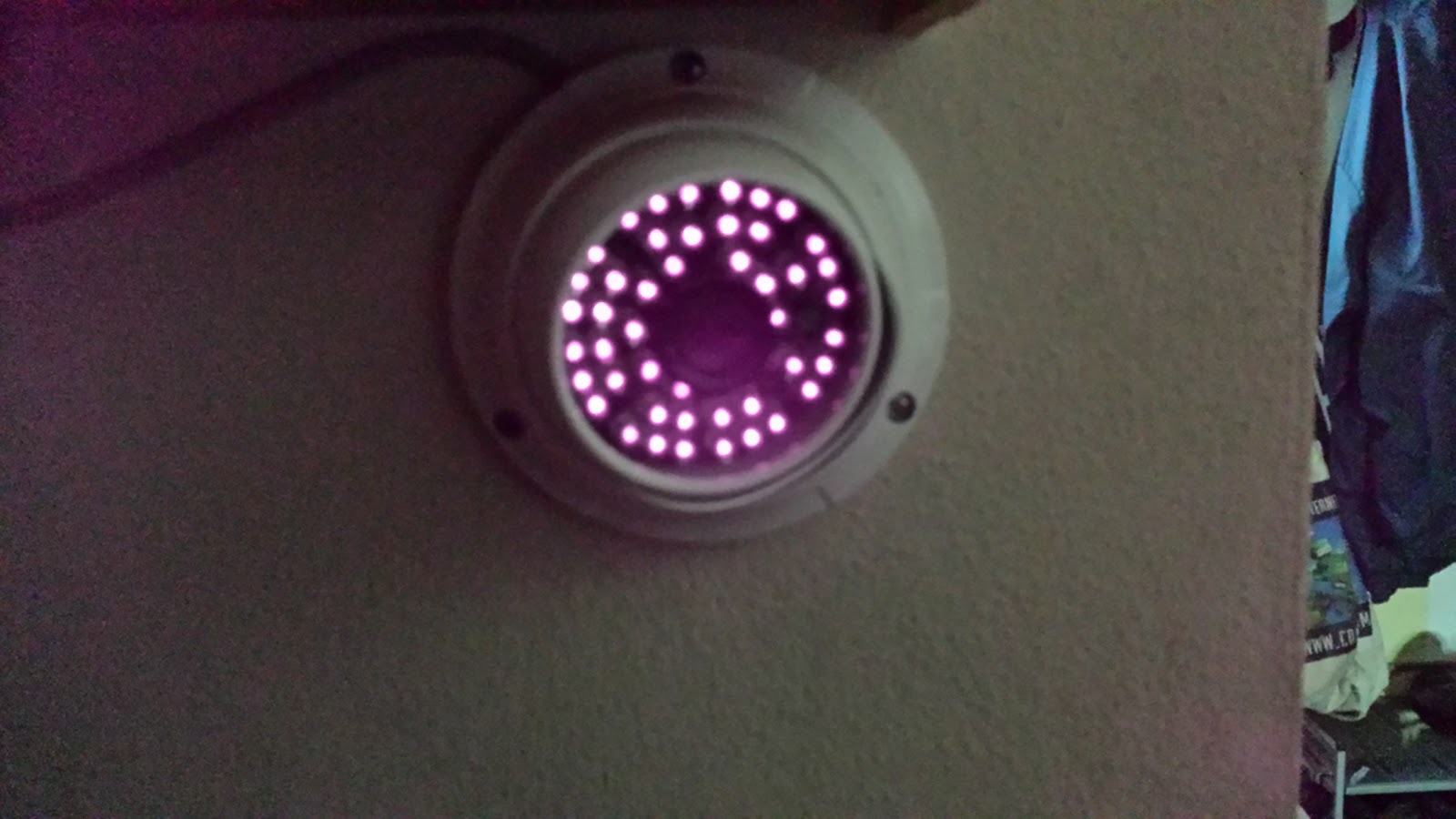 |
| Jennov Metal Dome |
Operation
The Amcrest is pretty easy to use with a good menu system on the console and a good web app. Except for one problem.
The three cameras below are very similar.
The EWETON and the ZOSI are very close, with maybe the ZOSI being a couple
of degrees wider field, and the HIS being a few degrees wider than the ZOSI.
Qualitywise, they are very close. I might pick the HIS for best picture.
However the HIS enclosure and mount are very flimsy. The ZOSI and the
EWETON are very soild and would be much more vandel proof.

 |
| EWETON 1/3" CMOS 1200TVL 3.6mm lens |

 |
| HIS VISION 1/3" CMOS 1200TVL 3.6mm lens 90 Degree? |

 |
| ZOSI 1/3" CMOS 1000TVL 960H 3.6mm lens |
The Jennov 1200Tvl Dome camera has the widest field of view by far, maybe 90 degrees. None of the product listing on Amazon accurantly state what the field of view is for any of these cameras.
 |
| Jennov HD Color 1200Tvl 3.6mm 72°view 1/3"CMOS |

The ANRAN 1200TVL is different, this one claims a 1/2.5 CMOS Sensor and the lens is 4mm. It has 1 IR LED where the all the other cameras have 30+ IR LEDs. But for sure the ANRAN is plent bright, possibly the brightist of the lot. However I'm not too interested in IR power, as I colo my cameras with motion senser spotlight. So when anyone steps in the field of view the lights come on and I get a great picture of their face as they turn to look at the light. Having motion senser spotlights is also a great deterence to would be thievies and vandels.
  |
| ANRAN 1200TVL 75ft Sensor:1/2.5" 4mm Fixed lens |
 Of all the cameras, I would say the ANRAN 1200TVL has the best picture, but the narrowest and most close up field of view, which is great for getting lots of picture detail. It also has a tiny joystick on the cable that lets you set options and it's the only one that comes with the power supply.
 |
| Jennov 1200Tvl 3.6mm Bullet Cam |

 | ||||
|  | Logisaf 1200TVL 6mm |

 |
| Another pic from the EWETON 1200TVL 3.6mm |

Three older 420 lines cameras from Swann:
  |
| Swann Super NightOwl 53 viewing angle 1/4-inch CCD 420 lines |
 |
| Swann Bulletcam, 420 lines |


 |
| Swann Alpha C9 SWA31-C9 Wide Angle |
 |
| Latest $14 1200TVL camera |
| Swann Alpha C9 at night |


